Observe & Optimize
Continuously Optimize Your Agents & Workflows
Every agent on the Komodor platform gets evaluated against real scenarios, with every change graded on the customer’s own traffic. Optimizations to model, prompt and tool usage ensure that your agents get faster, more accurate and cheaper to run over time.
Optimized Agents, Under Shared Infrastructure
Every agent in your fleet – whether built with Komodor, imported, or pulled from the catalog – is automatically scored, permissioned, and secured by the same systems.

Build
However it got here. Built from scratch, imported, or pulled from the catalog, every agent lands in the same fleet the moment it’s live

Run
Wherever it runs – your cloud, on prem or Komodor cloud – manage every agent centrally as a unified, enterprise-wide fleet.

Observe & Optimize
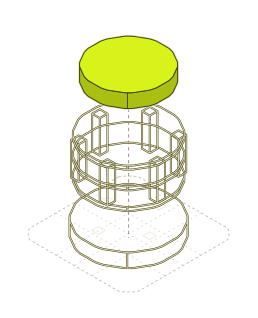
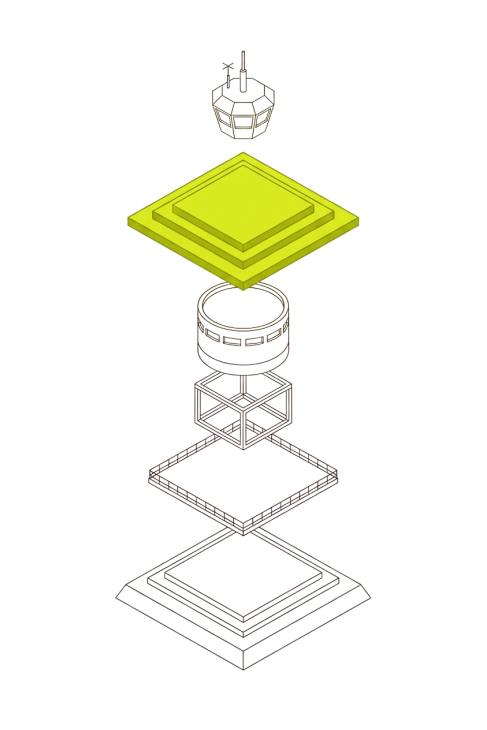
Every run by every agent — yours and ours — is evaluated by LLM-as-judge for continued performance and cost improvements over time.

Govern
Every action by every agent running is automatically permissioned under the same RBAC and approval rules your team set.
Frequently asked questions
No. Cost Optimization is one of Komodor’s three Solutions. It reduces what you spend on Kubernetes, cloud and observability infrastructure. Optimize is part of the platform and improves the agents themselves: their quality, reliability, speed and cost to run. One optimizes your environment; the other optimizes the agents operating it.
Docs link: How Optimize works
A run that succeeded can still be wrong, so Komodor grades the work itself. LLM judges score agent runs against explicit rubrics, at the sample rate you choose, with their reasoning attached. People can add their own grades alongside them. Before a change ships, it’s regression tested against a suite of known-good scenarios, and it only promotes if it passes.
Docs link: Evaluations
Yes. You decide which agents get evaluated, how often, and by which judges. Each judge carries its own rubric for what it measures, and you can edit Komodor’s judges or build your own to reflect your team’s standards. Scores are reported per rubric rather than blended into one generic number, so you can see exactly where an agent falls short.
Docs link: Evaluations
Golden scenarios are versioned test cases for non-deterministic agents, each with a known-good outcome. A scenario can be a predefined payload or a full deployment the agent has to work through. Komodor provides a ready-made suite built from real incidents, and you can add your own. Every agent change has to clear the suite before it ships, so regressions are caught in testing, not in production.
Run it in shadow. Deploy a candidate (a different model, prompt or toolset) next to the production version. Every request goes to both, but only the production answer is used, and the candidate’s actions have no side effects. A blinded judge compares the two outputs, and you see quality, cost and latency differences side by side before deciding whether to promote.
Docs link: Model evaluation
Yes. Komodor attributes spend by agent, model and provider, over 7-, 30- or 90-day windows with trends. Costs come from usage reported by the agent’s own model client, or are estimated from published token rates, and each figure is labeled with which. You can also see cost per individual run, so it’s clear which agents and models drive the bill.
Docs link: Agent spend attribution
With evidence instead of guesswork. Komodor routes each step to the model that fits it, balancing cost against quality, and tracks token efficiency per tool call to flag waste. To compare options directly, run a cheaper or newer model in shadow against production and look at quality and cost side by side before switching.
Docs link: Model evaluation
No. You stay in control of what ships. Candidates run in shadow first, proposed changes come as concrete diffs with the evidence behind them, and you decide what gets promoted and when. Any step can be flagged for human review. Insights recommend fixes but never apply them automatically.
Docs link: Model evaluation
Yes, over standard OpenTelemetry. Point agents at your OTLP endpoint, and they export traces (the run tree, model calls, tool calls and skills), metrics such as tokens, latency and failure rates, and logs correlated to trace IDs. Export is off until you set an endpoint, and nothing leaves the worker before then.
Docs link: Observability & OTel export
Insights groups failures across your fleet and ranks them by impact. Failures are grouped by type, such as failed runs, failed tool calls, unreachable workers and stuck work, each with the evidence behind it. For each group, an investigating agent recommends a fix using your own tools. Nothing is changed until you decide to act.
Docs link: Insights